
The perfect tool for collaboration & documentation
Collaborate simultaneously on documents, plans and models, communicate in a structured manner and in real time within the team, access all project content using the full-text search and effortlessly document relevant findings and decisions in and outside of meetings.
These features are particularly helpful
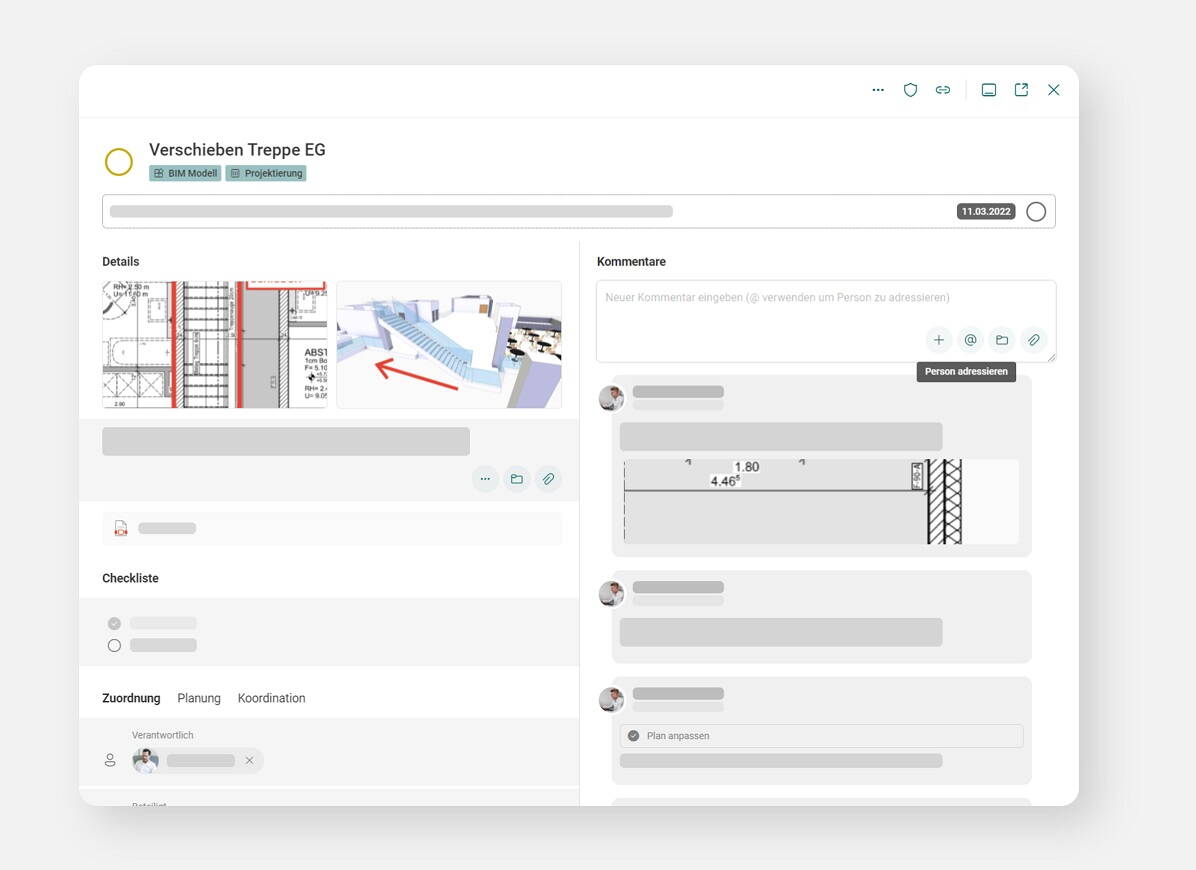

Tasks/communication
Integrated communication on tasks linked to documents and models
On buildagil, tasks are processed in a traceable and centralised manner. Use photos, plans and documents in comments to collaborate interactively. You can also be sure that all participants are involved and informed automatically or according to your requirements, with this applying both to your project tasks and to the issues from the BIM model.
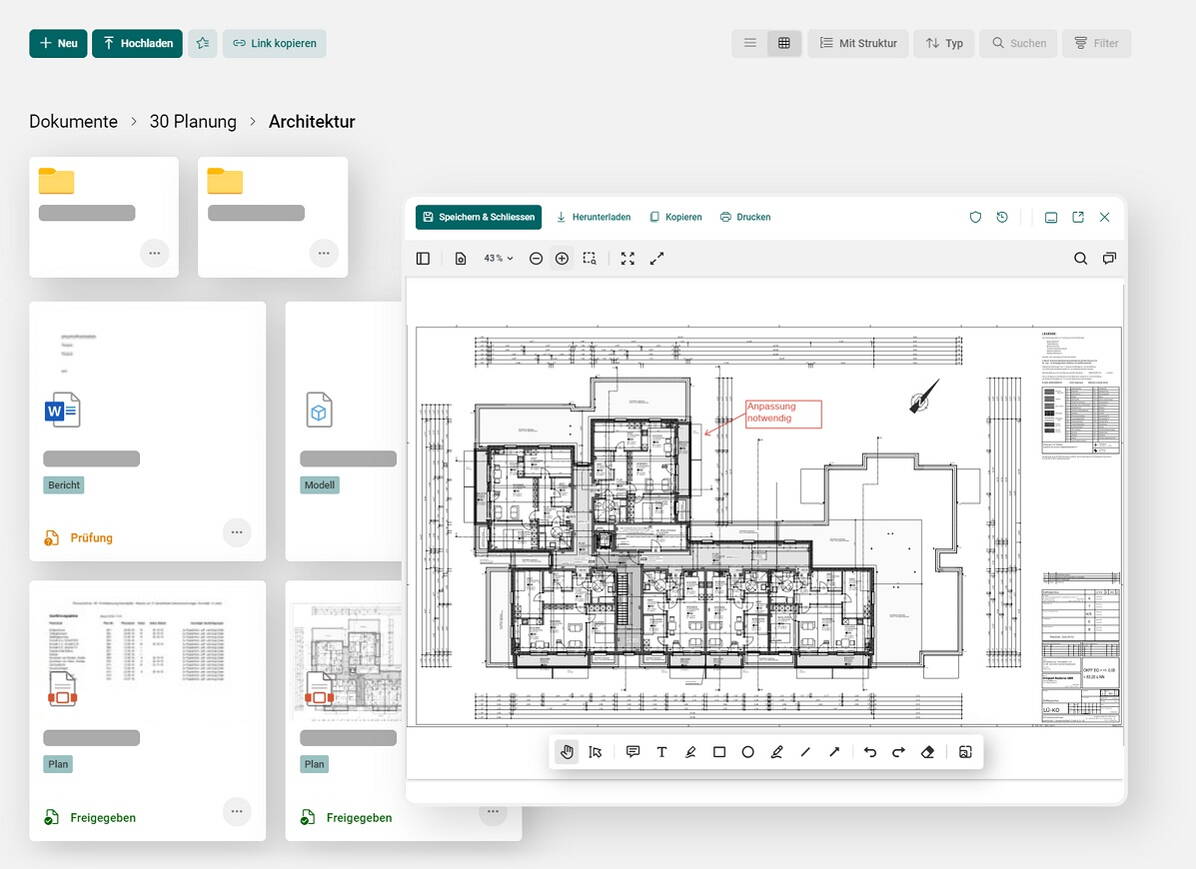

CDE/project space
Traceable real-time collaboration on plans, models and documents.
Working on documents, plans and models concurrently and in real-time is just as convenient as automatic document version management. You can categorise and check documents using an automated process. You can also just as easily print plans with QR codes for tracking or send complete document sets to external parties. The seamless integration into Microsoft Windows and MacOS also completely eliminates the need to upload and download documents.
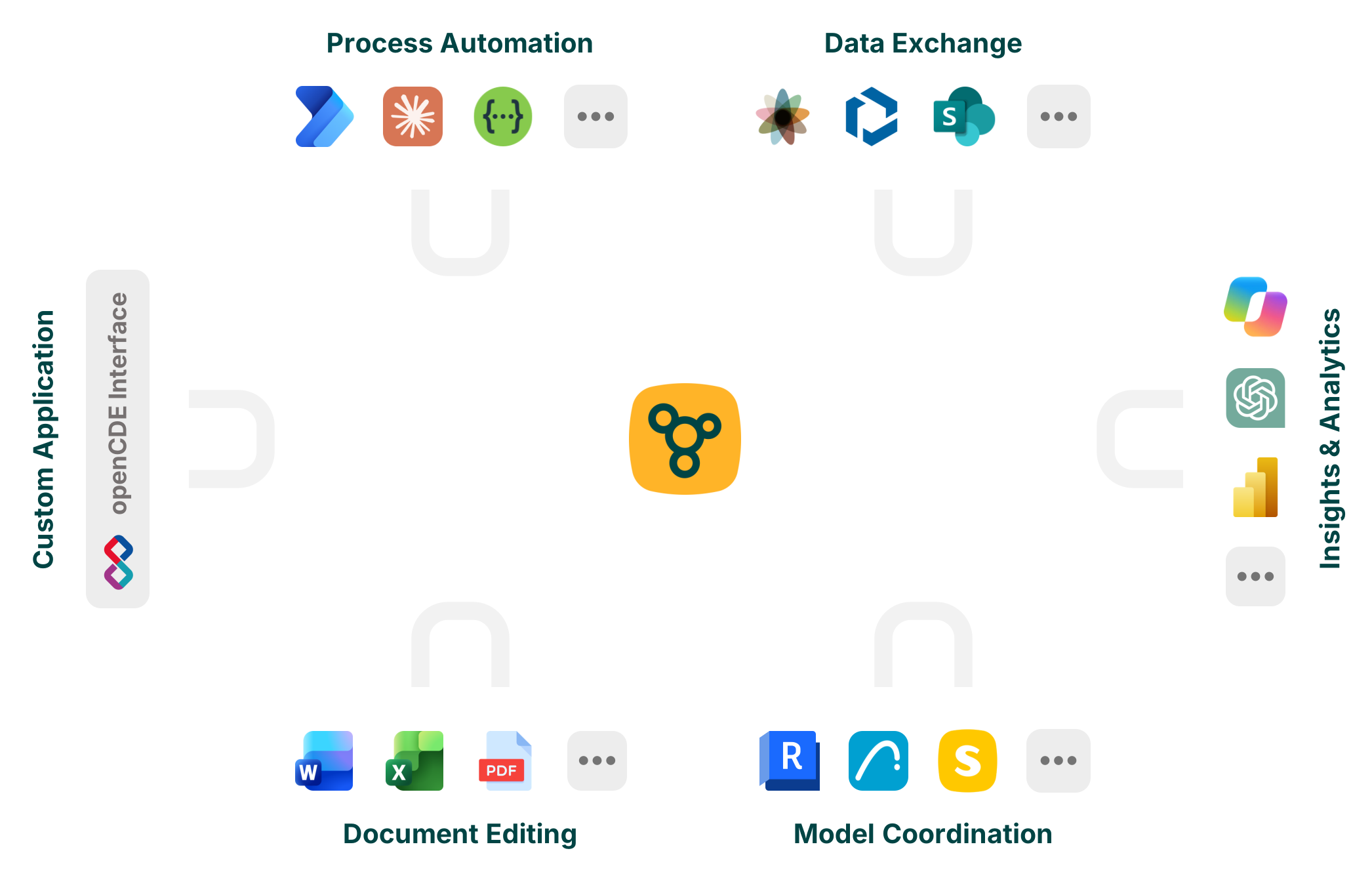

Integrations
buildagil can be effortlessly connected and used with a wide variety of systems, making your daily work easier and preventing errors in the project.
For example, you can edit PDFs and other documents directly online or in Word, Excel, PowerPoint, or OneNote without having to download or upload them. Alternatively, connect buildagil with OneDrive to work on files offline and with any application of your choice.
By integrating buildagil into your AI environment, such as Copilot, Claude, or ChatGPT (coming soon), you can query project information, create analyses, and automatically generate and modify content.
Thanks to integration with various automation platforms such as Power Automate, complex workflows can be automated without manual intervention.
The Excel and Power BI Connector enables you to create your own dashboards and reporting views.
In addition, buildagil provides the buildingSMART openCDE API (BCF API and Documents API). This interface enables the automated, standardized, and seamless exchange of tasks, documents, and other information between buildagil and third-party systems.
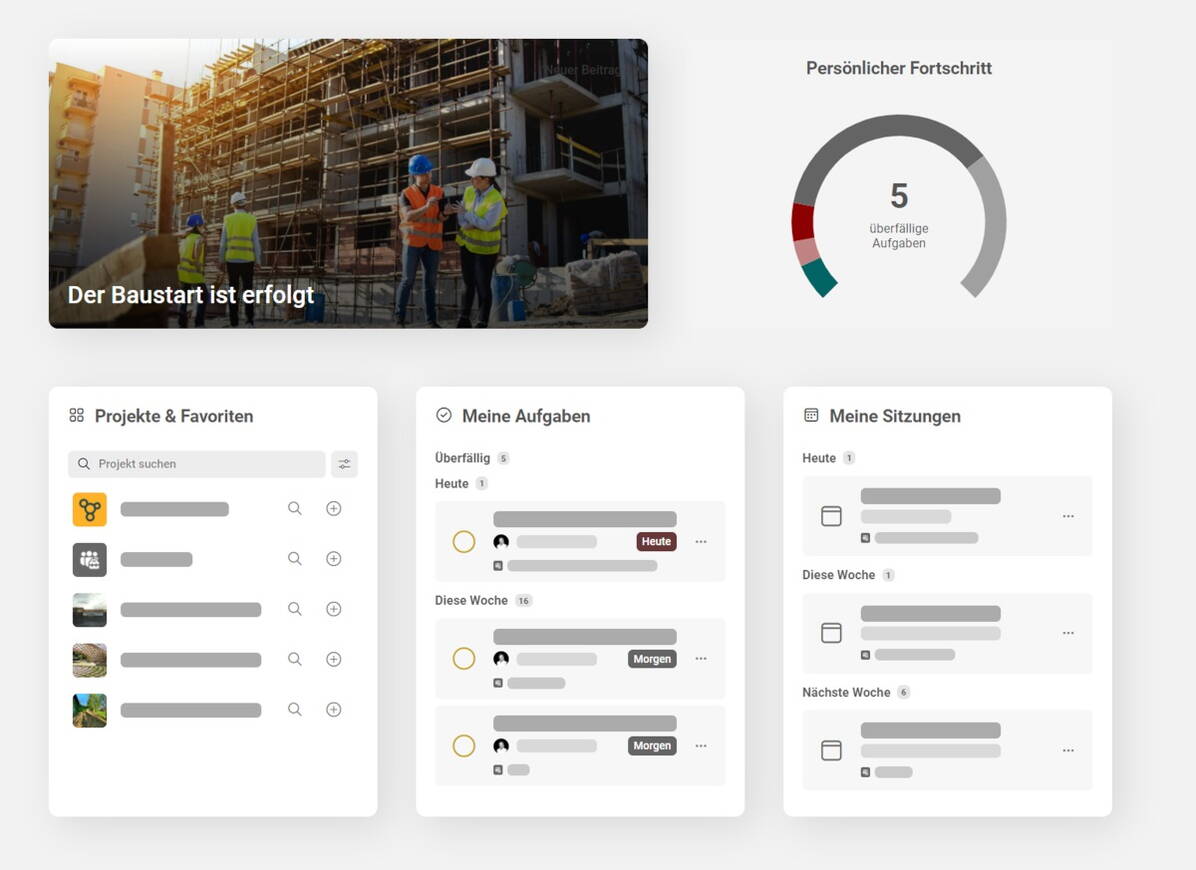

Project hub
All projects, tasks, appointments and more at a glance, tailor-made for you.
A custom workspace gives you an overview of all project information, tasks and appointments at all times. Personal notes and tasks also make your daily work on and beyond the projects easier. Customised widgets show you the most important data from connected systems. You can also use the full-text search to find all the information from your projects.

“With buildagil, I always have an overview of my current projects. The improved communication through the tasks and the intuitive meeting tool makes collaboration easier for me and everyone involved.”
Artur Pfeifer, Overall Project Manager
VELLOWS AG