
The perfect tool for project & construction management
Plan and manage your projects in the clearly organised project hub, use conventional or agile planning methods to coordinate appointments and tasks in the project and quickly and easily create meetings and the associated protocols.
These features are particularly helpful
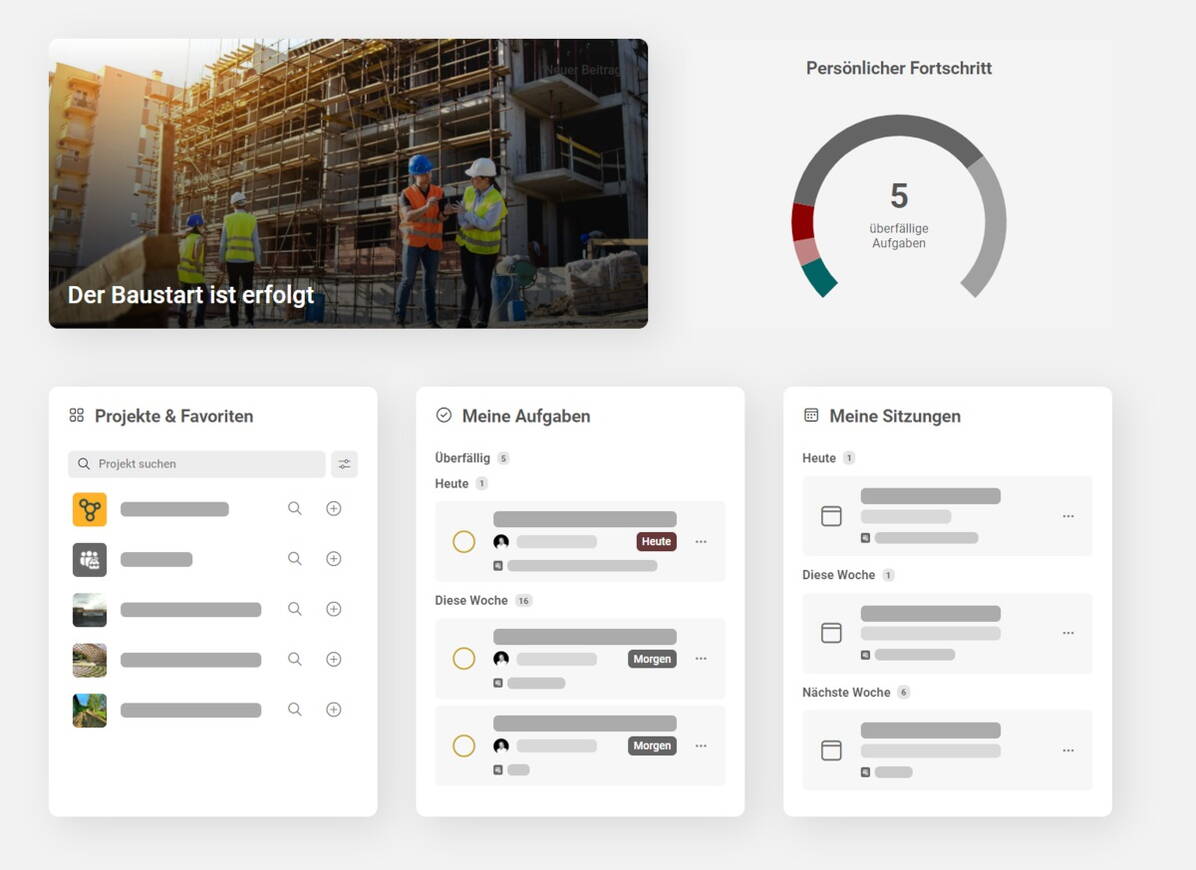

Project hub
All projects, tasks, appointments and more at a glance, tailor-made for you.
A custom workspace gives you an overview of all project information, tasks and appointments at all times. Personal notes and tasks also make your daily work on and beyond the projects easier. Customised widgets show you the most important data from connected systems. You can also use the full-text search to find all the information from your projects.
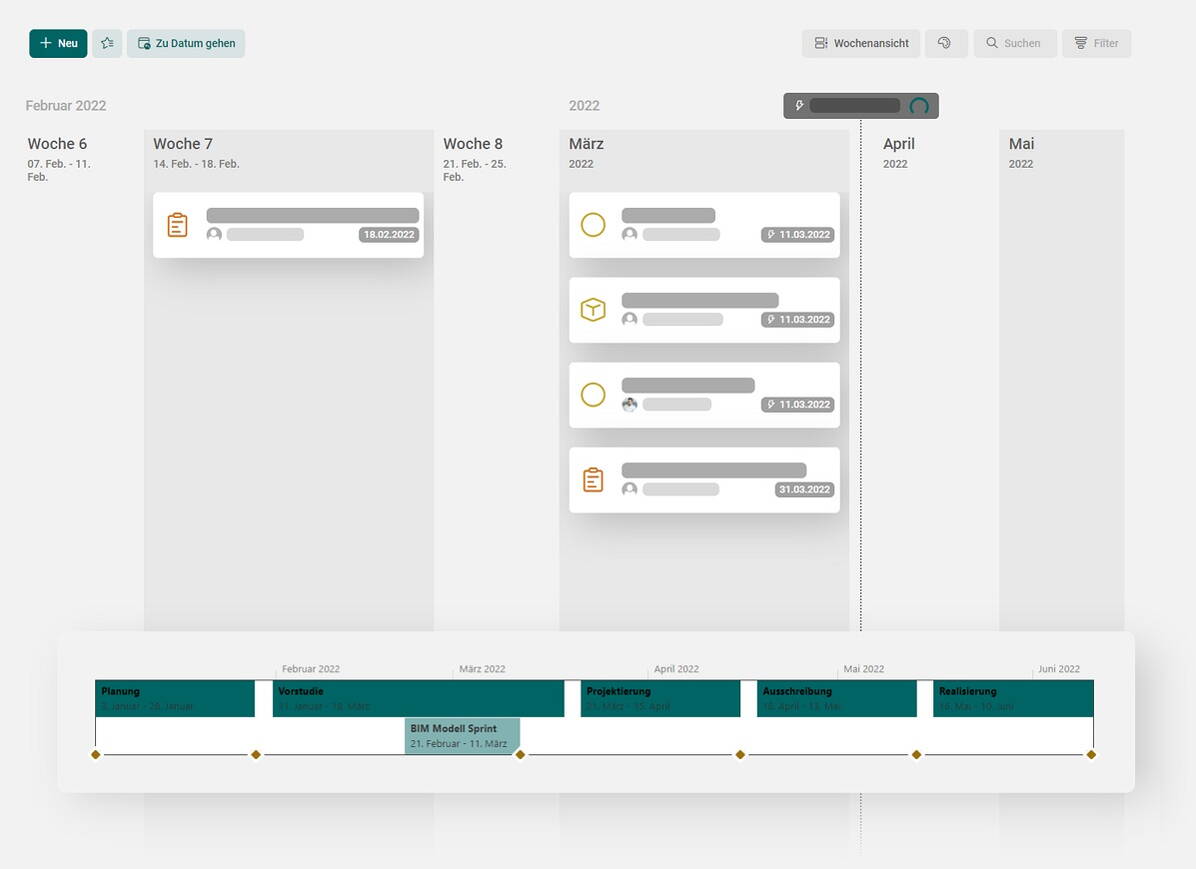

Scheduling
Strategic and agile scheduling, easy-to-follow status tracking and direct project management
buildagil offers you the options of complete and integrated project management – from the optional synchronisation of your schedule with Microsoft Project and task planning at the working level to project monitoring and active project control.
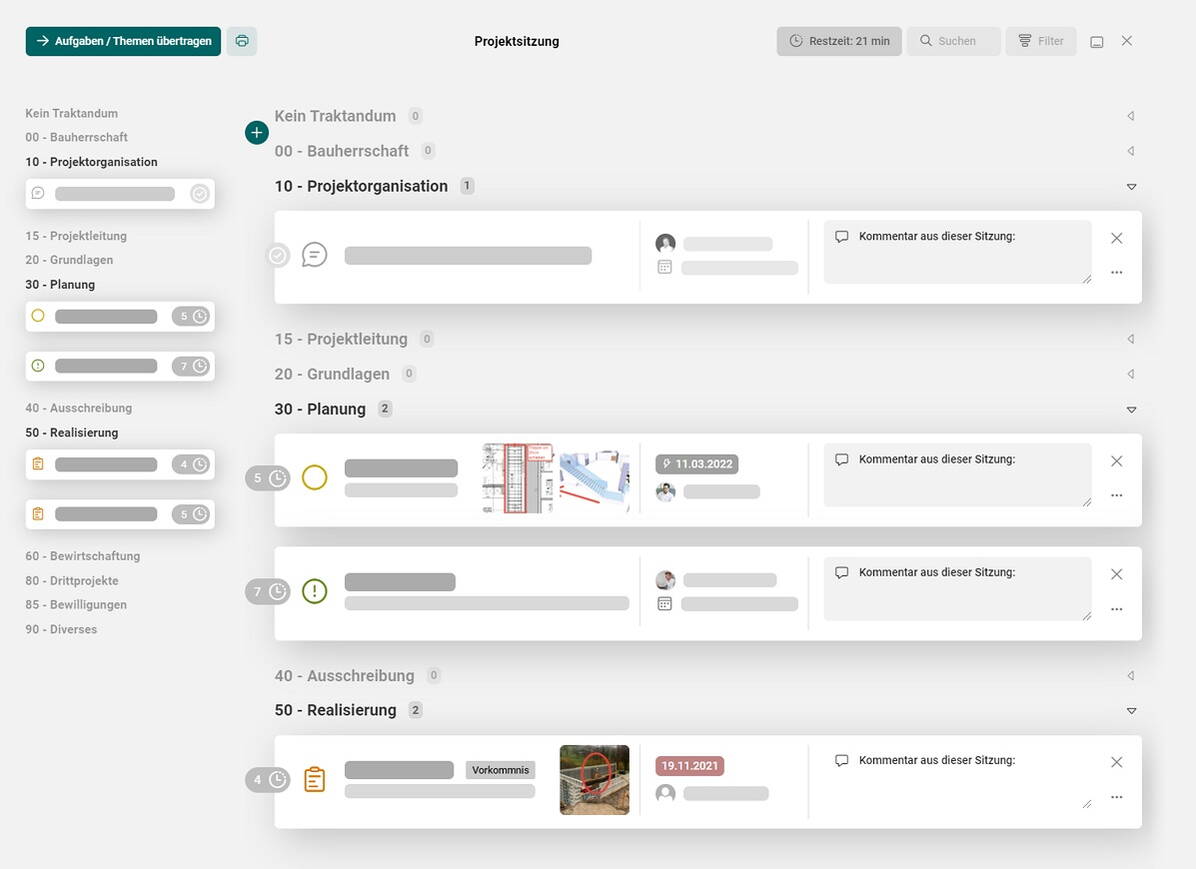

Meetings/protocols
Collaborative, structured meetings and automatic creation of protocols
Through buildagil’s active support for meeting preparations, the agenda is drawn up together with the participants. You can create the protocols in a fraction of the time, then send them at the click of a mouse to the entire group of participants for approval seconds after the meeting. buildagil takes care of the rest.
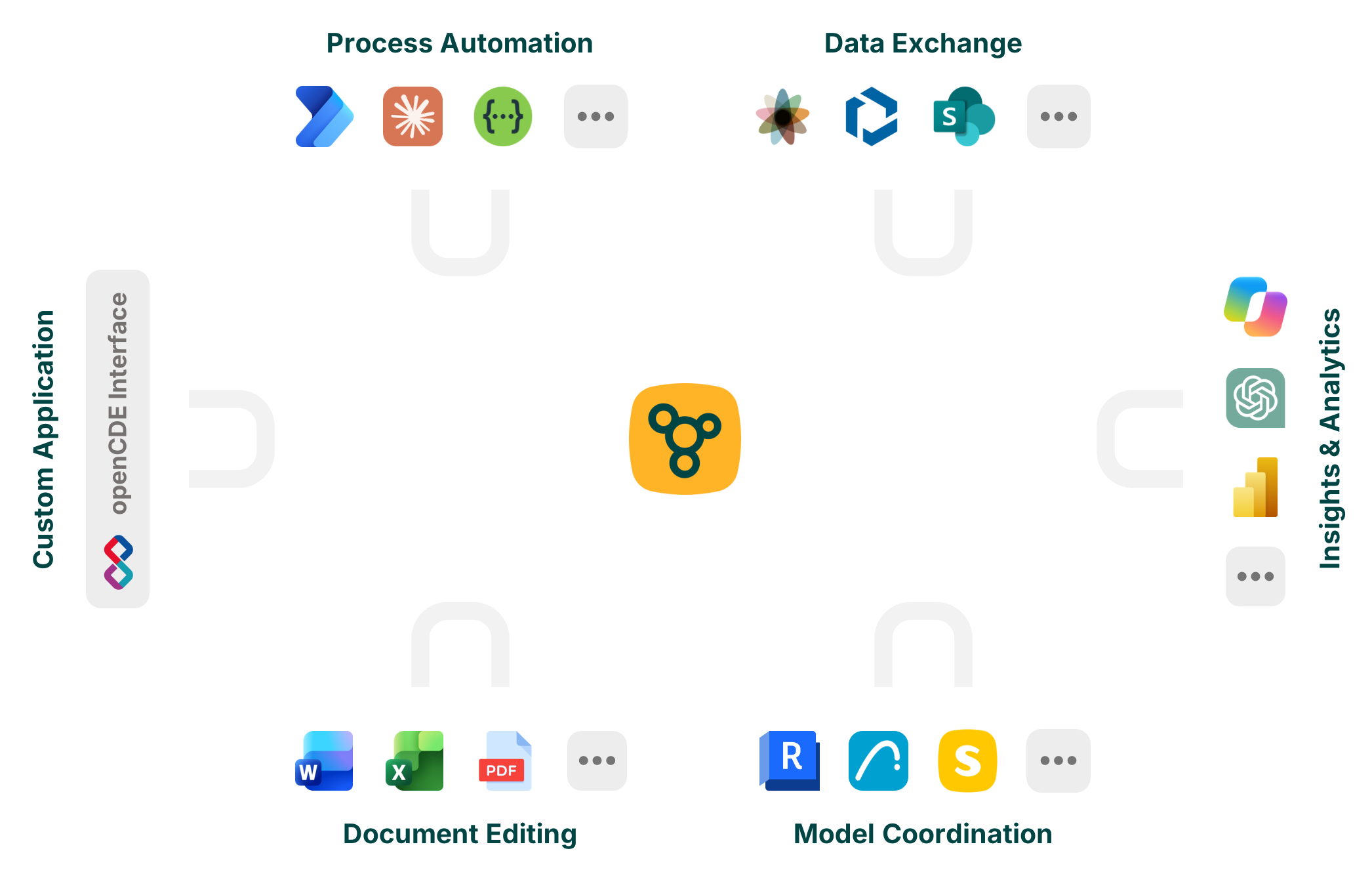

Integrations
buildagil can be effortlessly connected and used with a wide variety of systems, making your daily work easier and preventing errors in the project.
For example, you can edit PDFs and other documents directly online or in Word, Excel, PowerPoint, or OneNote without having to download or upload them. Alternatively, connect buildagil with OneDrive to work on files offline and with any application of your choice.
By integrating buildagil into your AI environment, such as Copilot, Claude, or ChatGPT (coming soon), you can query project information, create analyses, and automatically generate and modify content.
The Excel and Power BI Connector enables you to create your own dashboards and reporting views.
In addition, buildagil provides the buildingSMART openCDE API (BCF API and Documents API). This interface enables the automated, standardized, and seamless exchange of tasks, documents, and other information between buildagil and third-party systems.


“We use buildagil to maintain an overview of interdisciplinary projects with a large number of project participants. The centrally stored, accessible and up-to-date project information, in combination with the tasks and the meeting system, are hard to beat in terms of efficiency.”
Robert Lona, Overall Project Manager
B3